
THE KIMLUD EDIT · FASHION · BUYING GUIDE

A work tote earns its place when it makes an ordinary day easier. You can find your keys, carry the things you really need and reach your destination without wishing you had chosen a different bag. Looking right with a blazer is welcome, but it is not the same as working well on a crowded train or between meetings.
The most useful buying question is therefore not “Is this a work bag?” It is “Does this bag suit my equipment, journey and way of organizing things?” That question leads to measurable checks: the opening, usable interior, carrying options, closures and compartments. It also helps you recognize when the available information is not enough to justify a purchase.
Start here: measure your laptop inside its usual sleeve, list everything else you bring and decide whether shoulder carrying is essential. Then browse KIMLUD bags and handbags using those requirements. The two tote examples below illustrate different materials and layouts; neither is presented as a verified laptop carrier.
Contents
- What makes a useful work tote?
- Two KIMLUD tote examples
- Compare the details that matter
- Check laptop fit properly
- Plan the rest of your daily load
- Handles, straps and your commute
- Laptop backpacks: an alternative to a tote
- Closures and access
- Materials and construction questions
- Organization that suits your habits
- Choose for your working routine
- Before-buying checklist
- Frequently asked questions
- Choose with confidence in the details
- Sources & References
1. What makes a useful work tote?
A useful work tote has enough usable space for your particular belongings, a manageable packed weight and a carrying arrangement that fits your journey. If you carry a computer, the opening and interior must accommodate the device in its protective sleeve. A suitable closure and practical organization matter just as much as the overall dimensions.
Begin with the item you cannot leave behind. That might be a laptop, but it could equally be a document folder, a lunch container or equipment for appointments. Treat its dimensions as a requirement, not something you hope the bag will accommodate because it looks generously sized in a photograph.
Next, decide what would make a purchase unsuitable. Perhaps you need both hands free, cannot manage an open top or want to avoid carrying a separate organizer. Being specific about those needs is more helpful than ranking every bag by appearance and trying to justify the favorite afterwards.
This guide is based on listed product details and photographs, not hands-on load testing. It distinguishes supplied information from questions that still need answering. No recommendation here establishes laptop protection, a load rating, water resistance or all-day carrying comfort.
2. Two KIMLUD tote examples
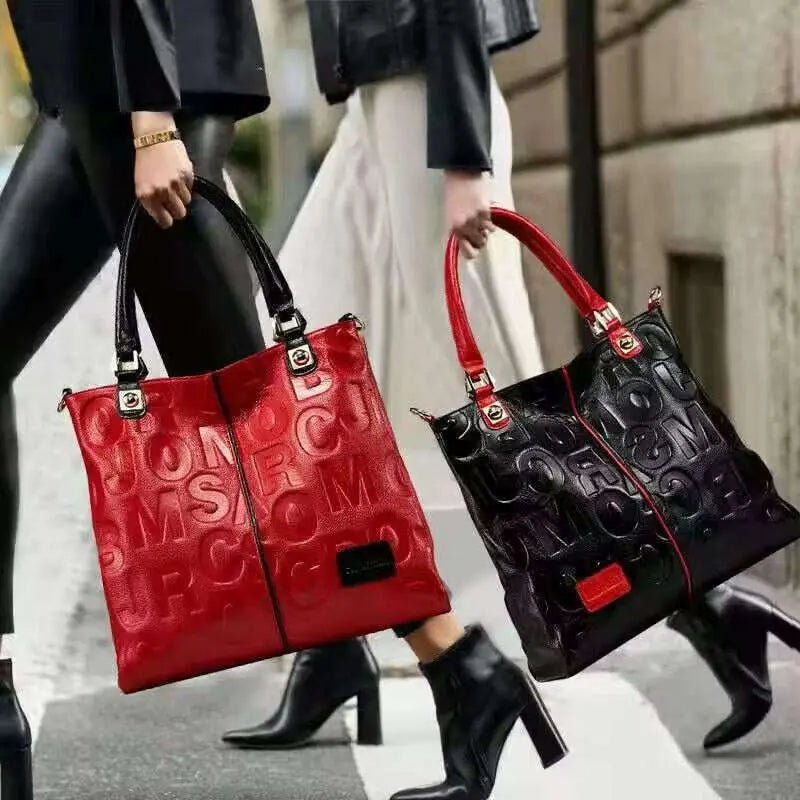
These examples provide a starting point for comparing a black PU design with a polyester animal-print design. The images show appearance; the notes identify the practical details to investigate. Shopping buttons lead to the wider collection so you can compare current options rather than relying on one permanent product recommendation.

Black patterned PU tote
Listed PU exterior.
Polyester-lined interior.
Zipped main closure.
Interior zipper pocket.
Consider it for: a shortlist where a zipped opening and an internal zipped pocket matter. Confirm first: usable measurements, their units, handle clearance and packed-load suitability.

Leopard-print polyester tote
Listed polyester exterior.
Polyester-lined interior.
Zipped main closure.
Exterior open pocket.
Consider it for: comparing a patterned finish with easy-access exterior organization. Confirm first: overall size, pocket dimensions and whether the carrying options suit your commute.
Both products were listed as available when checked on November 19, 2026. The separate editorial photographs are retained as examples; current assortment and availability may differ. A collection link does not imply that every bag there has the features described for these examples.
3. Compare the details that matter
| Buying criterion | Black patterned tote | Leopard-print tote |
|---|---|---|
| Exterior material | PU | Polyester |
| Lining | Polyester | Polyester |
| Main closure | Zipper listed | Zipper listed |
| Additional organization | Interior zipper pocket | Exterior open pocket |
| Dimension information | Length 35, height 26, width 16 listed without explicit units in the checked description; confirmation needed | Dimensions not supplied in the checked description |
| Laptop compartment | No dedicated protective compartment established | No dedicated protective compartment established |
| Carrying measurements | Handle drop and shoulder clearance need confirmation | Handle drop and shoulder clearance need confirmation |
| Most important next step | Confirm units, internal opening and carrying arrangement | Obtain dimensions and assess access and carrying arrangement |
The missing information is part of the decision, not a reason to fill the gaps with assumptions. A bag can look large, structured or convenient without having documented dimensions or a protective computer compartment. If those details determine whether you can use it, ask before buying.
4. Check laptop fit properly
Do not choose from the screen-size label alone. The diagonal screen measurement does not describe the whole computer, and two devices marketed with a similar screen size can have different exterior dimensions. Your sleeve adds still more space, especially at padded corners and the zipper edge.
Measure your laptop in the sleeve you actually use. Record its full width, height and thickness, including anything permanently attached. If you keep a cable adapter or stylus in the same sleeve, measure the packed version rather than the empty shell.
Then compare those dimensions with the bag's usable interior and opening. The top opening may be narrower than the widest part of the body. Tapered sides, reinforced seams and internal dividers can also reduce space. A device that fits inside in theory may be awkward to insert without bending the opening.
Ask whether the sleeve can enter in your preferred orientation and whether the closure fastens without pressure. You should not have to force the zipper around the corners of a computer. Check this before adding a lunch container or water bottle to the imagined packing arrangement.
Fit is not the same as protection
A computer fitting inside does not establish shock protection, a reinforced base or separation from other contents. Neither tote example has a documented dedicated protective laptop compartment in the checked description. If protection is essential, obtain specific information or investigate a bag explicitly designed for that purpose.
A paper mock-up is useful for eliminating obvious size mismatches. It is not a substitute for verified interior measurements or a capacity test. Use it to prepare precise questions, especially when a product description gives numbers without clearly stating units.
5. Plan the rest of your daily load
Lay out a normal day's belongings, not an aspirational minimalist selection. Include the charger, plug, access pass, glasses case, keys and anything you routinely put into the bag at the last moment. If you carry lunch, measure the actual container rather than imagining it will tuck into a spare corner.
Separate fixed items from occasional ones. Your computer may be fixed; an umbrella may depend on the weather. This helps you decide whether you need spare space every day or a second solution for occasional heavier loads. A larger tote is not necessarily the most comfortable answer to every situation.
Weigh the things you normally carry if total weight concerns you. Add the bag's empty weight once you have it. Without that information, a large bag that looks manageable in a photograph could still create an unsuitable packed load.
Consider what must stay separate. Food containers, liquids and electronics deserve a deliberate packing arrangement. Do not assume a general interior pocket is insulated, leakproof or suitable for a particular bottle. Those features require their own descriptions and measurements.
6. Handles, straps and your commute
Your journey changes what you need from a tote. A short walk from a car to an office is different from standing on a train, opening doors and carrying groceries afterwards. Decide how much of the day the bag will actually be in your hand or on your shoulder.
Check the handle drop against a bag you already use comfortably. If shoulder carrying is essential, compare the clearance over your usual coat as well as a light top. Photographs of someone holding the bag do not establish that it will sit comfortably on your shoulder.
Look for the specified carrying options rather than treating the word “shoulder” in a long product title as a measurement. If a detachable strap is supplied, ask about its length range, width and attachment points. If the checked details do not establish that a strap is included, confirm before making it part of your decision.
Keep the packed load in mind. Strap width, body shape and how the bag rests against you may affect your preference, but a photograph cannot prove all-day comfort. This guide does not rank the examples by carrying comfort because that has not been tested.
When a tote may not be the right format
If your everyday journey requires secure hands-free carrying of a substantial load, compare other bag formats rather than assuming a tote is mandatory for work. Start with the wider bags and handbags selection and judge each candidate against the same equipment and commute checklist.
Laptop backpacks: an alternative to a tote
If your computer travels with you every working day, include a laptop backpack in your shortlist. Two shoulder straps offer a different carrying arrangement from a tote, while a dedicated laptop compartment can help keep the computer separate from other belongings. Neither feature alone proves comfort or impact protection: compare the compartment's usable measurements with your laptop in its usual sleeve.
Three KIMLUD options to investigate are the Waterproof Oxford Laptop Backpack USB Charging, the Waterproof Unisex Laptop Backpack Big Capacity and the Oxford Laptop Backpack Waterproof USB. These are listing names, not independently tested waterproof or charging-performance claims.

Oxford laptop backpack with USB port
Listed Oxford exterior.
Polyester-lined interior.
Listed 15.6-inch laptop interlayer.
USB port and interior slots.
Consider it for: comparing a dedicated computer section with space for small work essentials. Confirm first: compartment measurements, the selected colour and what equipment is required to use the USB port. A port alone is not a power source.

Big-capacity unisex laptop backpack
Listed Oxford exterior.
Polyester-lined interior.
Independent laptop interlayer.
Interior zipped and slot pockets.
Consider it for: a shortlist where separate storage for a computer and smaller belongings matters. Confirm first: laptop-compartment dimensions, usable capacity and packed weight; the checked description does not specify a supported laptop size.

Oxford laptop backpack with rear pocket
Listed Oxford exterior.
Dedicated laptop compartment.
Rear storage pocket.
USB port and interior organization.
Consider it for: comparing rear-pocket access and different laptop options. Confirm first: exact compartment measurements for your selected variant. One option is labelled “17 inch Black”; do not transfer that size claim to the other variants.
Choose a tote if its access and carrying arrangement better suit your day; compare a backpack if you want to carry the bag on two shoulder straps. In either case, check the packed fit, closure and total load rather than choosing from the screen-size label or appearance alone. Current colours, specifications and availability can change.
Explore KIMLUD laptop backpacks
7. Closures and access
Both examples list a zipper closure. That is useful information, but the opening design still deserves attention. Check how far the zipper extends, whether there are side gaps and whether the top closes properly with the bag packed as you intend to use it.
Think about your most frequent retrieval. You might need a work pass at the entrance, a phone during a journey or keys while standing outside. A convenient pocket is one you can use without opening every compartment or balancing the rest of your belongings awkwardly.
The leopard-print example lists an exterior open pocket. That may suit selected quick-access items, depending on its position and size. An open pocket is not the same as an enclosed security compartment. Choose what you place there with the design and your surroundings in mind.
The black example lists an interior zipper pocket. Confirm its dimensions if it needs to hold a particular object. The presence of a zipped pocket does not tell you that it fits a full wallet, passport or glasses case. Be specific about the item you want it to hold.
8. Materials and construction questions
The black example is listed as PU; the leopard-print example is listed as polyester. Both describe polyester lining. Those labels help distinguish the examples, but they do not by themselves establish scratch resistance, weather protection, washability or service life.
Read pattern names separately from material descriptions. A snake-like or other animal-pattern finish does not establish animal skin. Equally, the appearance of woven or rounded handles in a photograph does not establish their material or load rating.
Ask for views of the base, seams, zipper and handle attachment points. The front view helps you judge style, while those additional views can help you understand how the bag is assembled. Photographs still cannot substitute for an actual strength test or a stated maximum load.
Follow the specific care instructions for the chosen bag. Do not assume either example is machine washable, suitable for a leather conditioner or safe to wipe with a solvent. If care information is incomplete, resolve it before buying, especially if the bag will face frequent commuting or spills.
9. Organization that suits your habits
Start with retrieval, not pocket count. Write down the order in which you normally need things: travel pass, phone, keys, then computer and charger at your desk. The right arrangement lets you reach each without repeatedly emptying the bag.
A general tote may benefit from a removable pouch or organizer, but include that organizer in the space and weight calculation. It can reduce the usable opening, occupy the center of the bag or make a supposedly flexible interior less adaptable.
If you like separate compartments, ask for interior photographs showing their position and dimensions. If you prefer one open space, think about how small items will remain easy to locate. Neither preference is inherently more organized; usefulness depends on the things you carry.
Keep a small set of work essentials together when possible. A charger pouch, for example, may make changing bags easier. That is a packing suggestion, not a claim that either product includes an accessory pouch or special cable compartment.
10. Choose for your working routine
Desk-based days with a computer
Make the packed laptop measurement the first filter. Then check whether there is room for the charger and other equipment without forcing the closure. Neither example should be selected as a laptop carrier until its usable size and carrying suitability have been confirmed.
Meetings with a lighter essentials load
If you mostly carry a notebook, phone and a few personal items, you may be able to prioritize access and silhouette differently. Measure the notebook and check its corners against the opening. You still need a practical handle arrangement for the time spent moving between appointments.
A commute with several changes of transport
Prioritize the carrying method, packed weight and easy retrieval of travel essentials. A closure that requires two hands may be inconvenient for your routine even if it is otherwise suitable. Compare the actual mechanism and opening, rather than relying on a general description of convenience.
Work followed by evening plans
Choose a finish you enjoy with the clothes you actually wear, then decide what happens to the day's larger items. A tote can be part of an office-to-evening outfit, but visual versatility does not remove a heavy load. Sometimes leaving equipment safely at work or carrying a smaller second bag is a more practical plan.
11. Before-buying checklist
- Measure your laptop inside its usual sleeve, including any attached accessories.
- List the other items that must fit at the same time.
- Confirm dimension units and usable internal space.
- Check the narrowest opening and whether the closure works with your load.
- Ask about a protective compartment if you need one.
- Verify carrying options, supplied straps and handle drop.
- Request empty weight and load information when these affect your choice.
- Check pocket dimensions for the items you intend to store.
- Read material and care details without adding unlisted performance claims.
- Confirm the selected variant and current product information before ordering.
If an essential measurement is missing, send a focused question through KIMLUD customer service. Include the product name, selected option and the exact packed dimensions you need to accommodate. A question about a particular sleeve or folder is more useful than asking whether the bag fits “a standard laptop.”
12. Frequently asked questions
What size tote do I need for a work laptop?
Choose by your laptop's exterior dimensions inside its sleeve, not only its screen diagonal. Compare the packed measurements with the bag's usable interior and opening, leaving room for the rest of your essentials. No universal tote size fits every computer.
Is the black patterned tote a confirmed laptop bag?
No. Its checked description gives three dimension numbers without explicit units and does not establish a protective laptop compartment. Confirm units, opening size, interior space and carrying suitability before buying it for a computer.
Does a zip-top tote protect a computer from rain?
A zipper alone does not establish water resistance or a waterproof construction. Neither example is presented here as weather-protective. Ask for the product's specific claims if that capability is important to your commute.
Can the leopard-print tote be carried on the shoulder?
The checked description does not provide the handle drop or establish the shoulder clearance you would need. Compare measurements over your normal clothing rather than assuming shoulder suitability from a photograph or the tote category.
Which material is better for work?
There is no universal winner from the labels alone. Compare the actual bag's construction information, care requirements, carrying arrangement and capacity. This guide does not claim tested durability advantages for PU or polyester.
Is the exterior pocket more useful than an internal zipper pocket?
It depends on what you need to retrieve and how you prefer to organize it. An exterior open pocket offers a different access arrangement from an internal zipped pocket. Check size and position, and do not treat either as a guarantee of security.
Do the photographs show accessories included with the bag?
Not necessarily. Clothing, phones, small accessories and other contents may be used for styling. Check the listing's included-items information rather than assuming everything visible in a photograph is part of the purchase.
Where can I compare other shapes?
Use the bags and handbags collection for the wider range, or Handbags — Editor's Selection for a curated starting point. Apply the same measurement checks to each candidate rather than transferring one example's specifications to another.
13. Choose with confidence in the details
A good work tote decision begins with your belongings and journey. Establish what must fit, how you need to carry it and which details cannot be compromised. Only then compare finishes, patterns and the way the bag works with your wardrobe.
The black PU and leopard-print polyester examples provide different starting points, not tested winners. Use their listed features to ask better questions, and do not fill missing dimensions or performance claims with optimism. Clear answers before purchase are more useful than a bag that merely looks suitable.
Explore KIMLUD bags and handbags to build a shortlist, or browse the Handbags — Editor's Selection for further silhouettes.
Sources & References
The comparison reflects the KIMLUD product descriptions and photographs checked November 19, 2026. It is a specification-based guide, not a load test or a hands-on durability review. Example photographs are editorial records and do not promise continued availability.
The laptop-backpack section also draws on the three named KIMLUD product descriptions checked November 19, 2026. Use the laptop-backpack results to compare current listings, and confirm the selected variant's measurements before ordering.
- KIMLUD bags and handbags: the collection containing the current bag assortment; consulted alongside the individual black patterned PU and leopard-print polyester tote listings for materials, closures and pocket descriptions.
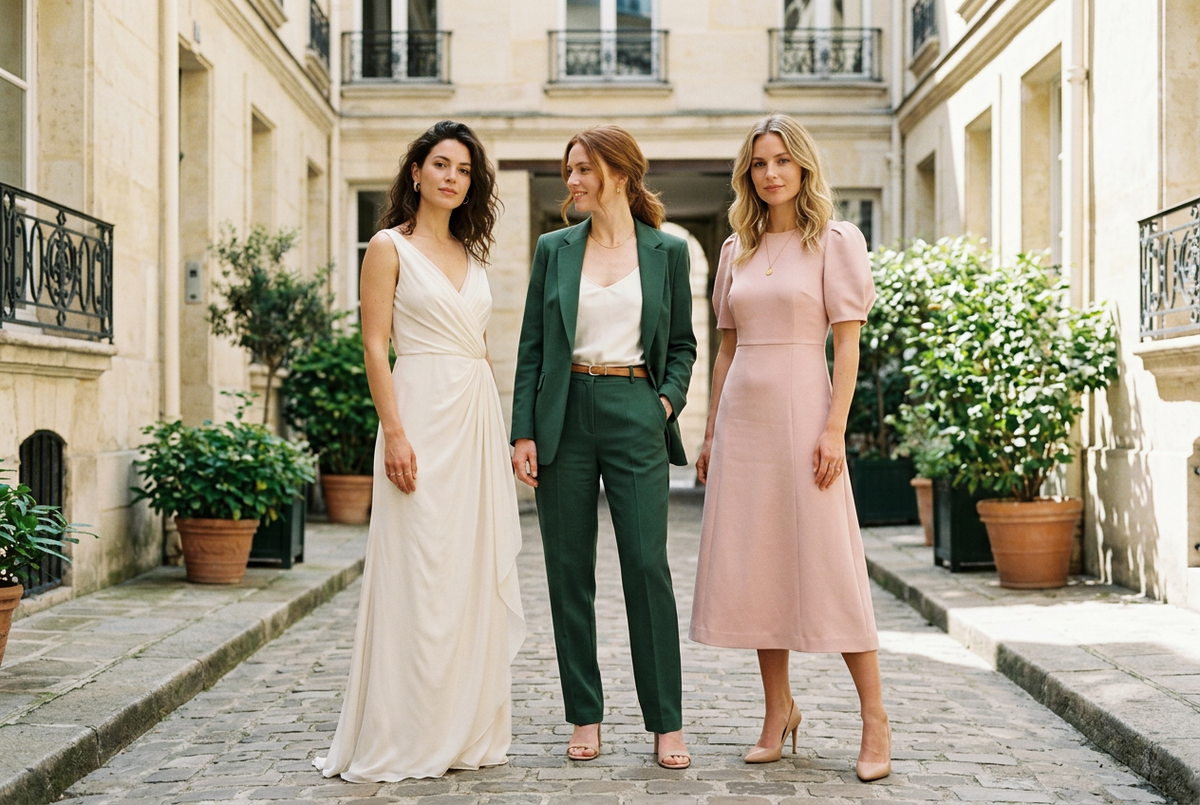
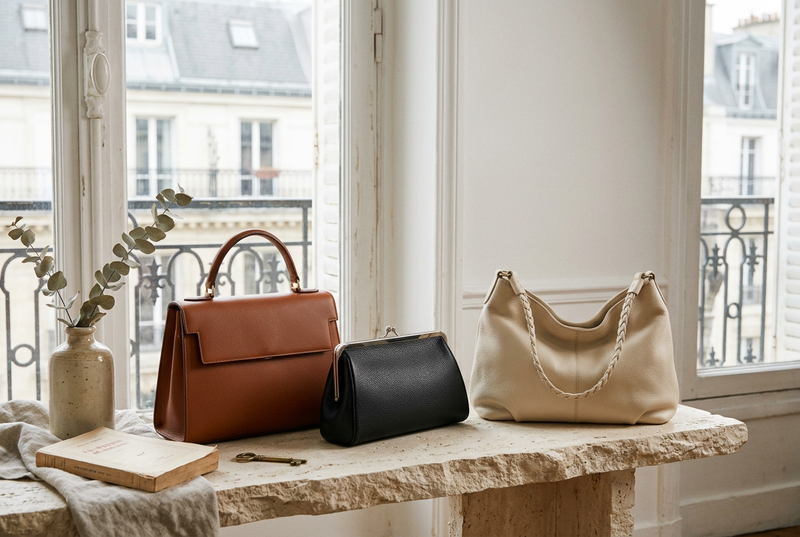
- KIMLUD Handbags — Editor's Selection: the curated handbag collection and source of the opening styling illustration.