

Shoulder Bag Buying Guide: Strap Drop, Opening and Everyday Capacity
Compare five shoulder-bag styles, including red PU and colour-shift cowhide bags added to KIMLUD in 2026. Check strap...
Get holiday style updates. First order? Enjoy 10% off automatically at checkout. No code needed. Cannot be combined with other discounts.
You can make a good video without a large crew. This guide walks through the work, from finding an idea and writing the script to creating footage, editing, publishing and finding customers. It also looks at tool costs, useful automation and the decisions you’ll still want to make yourself. A workspace that connects planning, production and editing.

How to plan, make and publish AI-assisted videos, and build a small production business around the work.
You have an idea for a video. Perhaps it’s a short story, an explanation of something you know well, or an advertisement for a product. The next question is usually the same: how do you turn that idea into something people will actually want to watch?
Working on your own is more manageable when software can help with scripts, visual references, footage and repetitive production tasks. But the choices that give a video its character still need your attention. You have to notice when a scene runs too long, when the sound feels wrong, or when a beautiful shot has nothing to do with the story.
This guide takes you through that work, from the first brief to the finished upload. It covers the creative decisions, the tools, the costs and the practical side of running a small studio. You can begin with a modest setup and build on it as you learn what your projects actually need.

A small production can involve a surprising number of jobs: finding the idea, writing the script, deciding how it should look, making the footage, recording sound and putting everything together. One person can cover those jobs, though some projects will still call for a camera, a location or somebody else’s expertise.
AI can take some of the pressure off. How much it helps depends on the work you’re trying to make.

You might make short films, educational videos, product advertisements or a recurring fictional series. You could also produce promotional work for businesses. Each of these asks something different of you. An advertisement has to explain or sell something. An educational video has to get its facts right. A fictional scene has more freedom, but still needs to hold someone’s attention.
Generating a striking five-second clip is a useful start. Finishing a video takes more work: the shots need to belong together, the sound needs to support them, and the viewer needs a reason to stay until the end.
The useful opportunity is in learning to produce finished work. Once you can reliably take an idea through to a good edit, you have something to build on. That skill will serve you better than constantly switching software in the hope that the next tool will solve the whole production.
Even when you work alone, it helps to separate the jobs. Writing a script and checking an export require different kinds of attention. Give yourself a clear point at which one job ends and the next begins.

You don’t need a different person for each role. You do need to know what you’re trying to finish before moving on.
IDEA AND RESEARCH → SCRIPT AND STORYBOARD → VISUAL REFERENCES → VIDEO GENERATION → VOICE AND SOUND → EDITING → QUALITY APPROVAL → PUBLISHING → REVIEW
Think of each stage as preparation for the next. The script gives you a shot list. The shot list tells you which references you need. Those references help you create footage that will fit together when you reach the edit.
It’s much easier to keep going when you aren’t reopening every decision along the way. A simple checklist can be enough. The best process is one you can follow during a normal working week, including the days when the ideas don’t come easily.

Start with the jobs you need done, then choose the software. It’s easy to end up paying for several tools with overlapping features, especially when you’re still experimenting. If two subscriptions do the same job for your projects, try keeping just the one you prefer.
The directory below follows the production sequence. Prices are rough planning figures rather than current quotations. Dollar amounts are in USD; the n8n Cloud example is in EUR. Your actual bill will depend on the plan, included credits, billing period and regional pricing.
| # | Tool | Role in production | Indicative cost |
|---|---|---|---|
| 1 | ChatGPT | Ideas, research assistance, scripts, shot lists, prompts and captions | Free / Plus approximately $20 monthly |
| 2 | Claude | Scriptwriting, long-form storytelling and editing | Free / Pro approximately $20 monthly |
| 3 | Gemini | Research assistance, brainstorming and Google ecosystem integration | Free / paid plans vary |
| 4 | Perplexity | Research assistance and finding supporting sources | Free / Pro approximately $20 monthly |
| 5 | Google Sheets | Content calendar, production tracker and performance records | Free |
| 6 | Google Drive | Scripts, images, clips and finished projects | Free tier / paid storage varies |
| 7 | Canva | Thumbnails, storyboards, graphic elements and brand assets | Free / Pro approximately $15 monthly |
| 8 | Ideogram | Visual concepts and graphic references | Free / paid plans vary |
| 9 | Midjourney | Visual concepts and reference images | From approximately $10 monthly |
| 10 | Adobe Firefly | Generating and editing visual assets | Free credits / paid plans vary |
| 11 | Seedance | Video generation from text, images and references | Credit-based; varies by provider |
| 12 | Runway | Video generation and creative editing | Free / paid from approximately $15 monthly |
| 13 | Kling AI | Video generation and reference-image animation | Free credits / paid plans vary |
| 14 | ElevenLabs | Narration, voice design and sound effects | Free / paid from approximately $6 monthly |
| 15 | CapCut | Editing, captions, audio, transitions and exports | Free / Pro approximately $20 monthly |
| 16 | DaVinci Resolve | Editing, color grading and audio post-production | Free / Studio one-time purchase |
| 17 | Make | Connecting supported applications and repetitive tasks | Free / paid from approximately $10–12 monthly |
| 18 | n8n | Advanced workflows, integrations and AI agents | Self-hosted / Cloud from approximately €20 monthly |
| 19 | Buffer | Social publishing and scheduling | Free / paid from approximately $5 per channel monthly |
| 20 | YouTube | Shorts and long-form publishing | Free to publish |
| 21 | TikTok | Short-form publishing and audience development | Free to publish |
| 22 | Reels, Stories and visual brand development | Free to publish | |
| 23 | Video distribution and community | Free to publish | |
| 24 | Professional publishing and client acquisition | Free to publish |
Before paying, work out what one typical project will use. A cheap monthly plan can become expensive if you need to buy extra credits halfway through every video. Allow for a few failed attempts and revisions as well as the footage you keep.
ChatGPT, Claude and Gemini can help you explore ideas, structure a script, rewrite an awkward passage or prepare a shot brief. Choose one to get comfortable with first. You can try the others when you have a specific reason, without paying for all three from the beginning.
If you use a model for research, follow its sources and read them yourself. A convincing paragraph is easy to mistake for a well-supported one, especially when you’re working quickly.
Midjourney, Ideogram, Adobe Firefly and Canva’s AI features can help you settle on a visual direction. Before asking anything to move, use still images to work out how the location, character or central object should look.
Seedance, Runway and Kling AI are options for making footage. Test them with shots you genuinely need rather than judging them only by promotional examples. A second tool may be worth keeping if it does a particular job noticeably better.
ElevenLabs is one option for narration and effects. You can also record your own voice or work with a voice artist. CapCut and DaVinci Resolve are where the pieces come together: footage, sound, captions and the timing of the finished sequence.
Make and n8n can connect supported applications and take care of repetitive tasks. A straightforward automation follows the steps you’ve set. An agent uses a model to interpret information and choose between actions you’ve allowed.
For many jobs, the straightforward version is enough. It’s usually easier to fix a process when you can see exactly what each step was supposed to do.
What would you enjoy making often enough to get good at it? Answer that before expanding the software budget. These three types of work offer quite different ways to begin.

You have plenty of room here for original characters, strange places and unexpected events. A city beneath the ocean, a civilization hidden inside a mountain, a visitor at an abandoned hotel or a world without gravity could each be the beginning of a film.
Then something needs to happen. Who has arrived at that hotel, and what do they find? Why does the hidden city matter to the person who discovers it? A little curiosity or tension will carry a viewer further than a long sequence of elaborate scenery.

With commercial work, begin with the audience. What should someone understand, feel or do after watching? That question helps you decide what belongs in a product film, a restaurant advertisement, a property presentation or a launch campaign.
A perfume film might lean on light, texture and close-up detail. A restaurant video may need to show the food, the room and the pleasure of eating there. The treatment can be imaginative, as long as the product or place doesn’t disappear behind the effects.
Keep accurate references close by. Check packaging, logos and proportions against them, especially when the finished video will help a customer make a buying decision.

Ancient engineering, extreme weather, city design and the history of an invention can all make absorbing subjects. Clear visual explanations help viewers follow ideas that would be difficult to describe in words alone.

Give the research as much attention as the pictures. Be clear about what is an illustration and what is evidence. A generated historical scene, however plausible it looks, should never be passed off as genuine footage.
A few consistent choices will help the work feel like yours: a small color palette, a restrained use of type, and a familiar approach to narration, pacing and sound. You can change the opening and ending from one project to the next without losing that connection.

Leave yourself room to experiment. You want people to recognize the work, not feel they’ve already watched the same video.
Opening a generator and trying things can be a good way to loosen up. When you’re ready to finish a project, though, write down the idea in one sentence. If you can’t explain what the video is about, it will be hard to decide which shots you need.

A few simple structures can help you get a first draft down:
You don’t have to follow these rigidly. Use them to see whether something important is missing, then let the language and sequence feel natural.
Suppose a mysterious greenhouse appears on the roof of a skyscraper. You could spend hours generating attractive views of it. A short shot plan gives those views somewhere to go.
| Time | Scene | Purpose |
|---|---|---|
| 0–3 seconds | A wide view of the unusual greenhouse | Catch attention |
| 3–8 seconds | The camera approaches | Build curiosity |
| 8–15 seconds | The interior is revealed | Reward that curiosity |
| 15–23 seconds | A hidden ecosystem comes into view | Develop the idea |
| 23–30 seconds | An unexpected final detail | Give the sequence a payoff |
That’s enough to begin production. You know what to make, why each shot matters and where the sequence is heading.

Give a writing assistant the audience, purpose, length and tone of the piece. Ask for three possible openings, a complete script and a scene-by-scene breakdown. Comparing a few openings is often more useful than repeatedly polishing the first suggestion.
Once you’ve chosen a direction, add the practical details: references, camera movement, lighting, voice, effects and captions. Include a checklist of anything that must be right. Save the brief for next time, but don’t force a new kind of project into a template that no longer fits.
Read the script aloud before you make the footage. You’ll hear repetition and awkward sentences that are easy to miss on a screen. Explain unfamiliar terms, shorten anything that’s difficult to say and let each point have enough room to land.
Copy the brief below into your writing assistant and replace the bracketed details. Use it to turn the script advice above into a production plan you can review.
Create a complete production package for this video concept: [DESCRIBE THE IDEA].
Audience: [WHO WILL WATCH]. Purpose: [WHAT THEY SHOULD UNDERSTAND, FEEL OR DO]. Intended duration: [LENGTH]. Main destination and aspect ratio: [PLATFORM AND FORMAT]. Tone and visual direction: [STYLE]. Available references: [APPROVED ASSETS]. Production limits: [TIME, BUDGET AND TOOLS].
Produce:
- Three alternative opening hooks.
- A complete script suited to the intended duration.
- A scene-by-scene breakdown.
- An individual shot description for each scene.
- Visual generation instructions for every shot.
- Camera movement, framing and lighting direction.
- Narration and dialogue, where needed.
- Sound-effect and music suggestions.
- On-screen captions.
- Continuity instructions for characters, objects and locations.
- Editing and transition recommendations.
- A final quality-control checklist.
Maintain a coherent visual style and make the production practical for one creator. Preserve important product details from the approved references. Identify factual claims that need verification and assets or uses that need a permissions check. Do not invent sources, product features, client results or firsthand experience. If essential information is missing, identify the gap before making an assumption.
Review the plan before generating footage. Verify the factual material, simplify any overambitious sequence and approve the shot list. Save the approved brief with the project so later revisions have a clear starting point.

It pays to settle the look of a scene before asking for motion. That’s particularly true when the same character, object or place will appear more than once. You’ll spend less time trying to reconcile clips that seem to belong to different films.
For a futuristic hotel, you might first work out the building’s exterior, its interior materials, the lighting and the camera angles. Decide how the main character looks, too. Keep the approved references together so you can find them without digging through old conversations and folders.

Be stricter about the things viewers will notice. A minor change in a distant background may not matter. A watch face that changes shape or a character whose clothes keep changing will pull people out of the scene.
Work one shot at a time. It’s easier to control a short clip when you know what the subject is doing and how you’ll use the result. Trying to generate an entire film at once gives you far more to untangle later.

| Shot | Purpose | Example duration |
|---|---|---|
| 1 | Establish the setting | 4 seconds |
| 2 | Reveal the product | 4 seconds |
| 3 | Show a useful detail | 5 seconds |
| 4 | Give the product its main presentation | 5 seconds |
| 5 | Finish with a clear brand presentation | 4 seconds |
Use those lengths as rough guides. A generated clip doesn’t have to stay in the edit for its full duration. Keep the part that works and cut when the sequence needs to move on.
For a mechanical watch commercial, you could begin with these details:
Even a careful brief can produce an odd result. Use reference images where the tool supports them, then look closely at the output. Check the watch itself, not just the atmosphere around it.

A video can look impressive and still feel unfinished when the sound is wrong. Start with a voice you can understand comfortably. Then listen to what the music and effects are doing around it.

Build the sound in layers: voice, background atmosphere, individual effects and music. Balance the volume once they’re together. You won’t need every layer in every scene, and leaving a little space can work better than filling every second.
If you use generated narration, listen for pronunciation and emphasis. A voice can sound fluent while putting the stress in entirely the wrong place. Your own recording or a professional voice artist may be a better fit for some projects.
Check the permissions for music before using it. Don’t assume a track available inside one platform can be used in a client advertisement or carried across to every other channel.

It’s worth trying a different voice or track occasionally. Familiar choices can become habits long after they’ve stopped serving the particular video you’re making.
In the edit, you finally get to see whether the idea works. Some shots will come together easily. Others may look wonderful on their own and slow the whole film down. Give yourself permission to leave those out.

Save a project template with your usual dimensions, captions, fonts, audio settings and export setup. It will spare you the same technical decisions next time. Include an opening or closing sequence only if you expect to use it, rather than adding one out of habit.

Watch the whole thing without stopping before you begin another round of tiny adjustments. Replaying your favorite few seconds can hide a much bigger problem with the pace of the film.
A clean cut is often all you need. Readable captions and sound that sits comfortably are usually worth more attention than another transition effect.

Once you’ve finished a few videos, you’ll know which jobs keep repeating. That’s a good point to start automating. Connecting tools before you understand the manual process can leave you maintaining a complicated system that doesn’t save much time.

A typical project moves from an idea to a script and shot list, then into the tracker. References, footage and audio follow. After editing and approval, you can prepare the posts, schedule them and collect the results. You don’t have to automate that entire chain.
| Task | Useful automation |
|---|---|
| Idea collection | Save ideas in a content database |
| Script preparation | Prepare a draft from an approved concept |
| Shot lists | Convert the approved script into structured descriptions |
| Project setup | Create folders and copy templates |
| File naming | Apply consistent project names |
| Progress tracking | Update the production status |
| Publishing preparation | Draft titles, descriptions and captions |
| Scheduling | Send approved assets to a supported scheduler |
| Reporting | Collect available metrics for review |
| Planning | Summarize results to inform the next ideas |
A writing assistant, Google Sheets, Google Drive, an editor and native scheduling tools may be all you need. If moving a few files yourself keeps things simple, there’s no reason to build an integration just to avoid it.
Make is one option for connecting supported tools. For example, approving an idea in your tracker could start folder creation, copy your templates and send you a notification. A separate connection might prepare post details or pass an approved file to a scheduler.
Consider n8n when you need conditional steps, structured data, error handling, APIs or agents. If you self-host, remember that maintaining the infrastructure becomes part of your workload as well.
Check the exact integration before designing around it. What you can generate, render or publish will depend on the provider, account and permissions. Test with one small project before trusting it with a full week’s production.
Give an agent a job you can describe and check. Asking it to prepare three researched concepts for you to review is a reasonable place to begin. Asking it to run the entire studio leaves too many decisions unclear.

| Role | Responsibility | Your checkpoint |
|---|---|---|
| Research assistant | Gather topics and supporting material | Check the claims |
| Creative assistant | Develop concepts and openings | Choose the direction |
| Script assistant | Draft scripts and scene breakdowns | Approve the story |
| Production assistant | Organize files and status | Check the assets |
| Publishing assistant | Prepare post details | Approve the final post |
| Analytics assistant | Summarize performance | Decide what changes next |
Some jobs won’t need an agent at all. Folder creation and predictable status updates, for instance, are often better handled by ordinary automation.
Keep the final say over scripts, visual consistency, product details, sound and commercial claims. Review the finished video and the post before publication. Producing more files won’t help if you’re no longer sure what’s going out under your name.
By this point, you’ll know the footage almost too well. Try watching as someone who has never seen the brief and knows nothing about the effort behind a particular shot.

Look at the characters and important objects across the cuts. Do they keep the same appearance? Check for odd details, sudden lighting changes and settings that don’t seem to connect.
Does the opening make you want to continue? Is anything repeated or left unexplained? Pay attention to the ending, too. It should answer the question or deliver the moment that encouraged someone to watch.
Read the captions at normal speed, without pausing to catch up. Listen for music covering the voice, uneven volume, awkward cuts and accidental silence. Take out effects that keep drawing your attention away from the subject.
Check the aspect ratio, resolution, audio and export settings. Confirm that you’re using the approved brand assets and an authorized clean export, with any required attribution intact.

It can hurt to discard a shot you spent time and credits on. If it doesn’t work, though, the choices are to fix it, replace it or change the sequence. Keeping it because it was expensive won’t make it less distracting.
A finished master can give you several useful pieces of content. Before uploading it elsewhere, consider what a viewer on that platform will need: a different opening, a tighter crop, more context or a shorter version.

| Starting asset | Possible adaptation |
|---|---|
| 60-second video | YouTube Short |
| 60-second video | TikTok version |
| 60-second video | Instagram Reel |
| 60-second video | Facebook Reel |
| Main video | A short teaser |
| Main video | A production breakdown |
| Main video | A thumbnail or promotional still |
| Related videos | A longer compilation |
Watch every reframed version. A horizontal close-up can lose the detail that makes it interesting when you crop it vertically. Adjust the captions and call to action as well, and make adaptations from your authorized clean master rather than downloading an already published copy.
YouTube can be a useful main home for a mixture of short films, longer videos and recurring series. You can then choose other platforms for the jobs they do well: helping people discover the work, developing a visual identity or reaching possible clients. You don’t have to be equally active everywhere.

Use Shorts for ideas that work quickly and longer videos for subjects that need time. Playlists can help people find related pieces. Advertising, memberships and other monetization options are worth investigating if you become eligible, but don’t build a budget around income you haven’t earned yet.
A focused Page, short videos and thoughtful participation in relevant communities can bring the work to more people. Share where the subject genuinely fits. Dropping the same link into unrelated groups rarely gives anyone a reason to care.
Reels, Stories and carousels built from video stills can show how your work looks and feels. Give covers a little attention, particularly when people see several together. Aim for a recognizable collection rather than identical posts.
Try different openings, lengths and recurring formats. Watch for a pattern across several posts before drawing conclusions. One quiet upload doesn’t tell you very much about an entire subject or style.

A short clip with an explanation of how you made it can start a useful conversation with other creators, marketers or founders. Include enough context for someone encountering the work for the first time.
Tumblr may suit fictional worlds, characters, GIFs and creative collections. Try a few relevant posts and spend more time there if the response gives you a reason to.
For business clients, show what you finished, what the brief was and what you contributed. A clear case study can make it easier for somebody to imagine hiring you than a reel of impressive effects with no explanation.
Reddit can be a good place to learn from people who care about a particular subject. Share work only where it’s relevant and permitted, and take part in the conversation. Rumble is another destination to consider if its audience and format suit your videos.

This is one possible route from preparation to distribution. Several entries have free options, and you won’t need a paid subscription at every step.
| Order | Tool or destination | Job | Indicative cost |
|---|---|---|---|
| 1 | ChatGPT | Ideas, scripts, titles and descriptions | Free / approximately $20 monthly |
| 2 | Google Sheets | Calendar and tracker | Free |
| 3 | Google Drive | Asset storage | Free / paid storage |
| 4 | Midjourney | Visual references | From approximately $10 monthly |
| 5 | Seedance | Video generation | Credit-based |
| 6 | Runway | Alternative generation and editing | Plans vary |
| 7 | ElevenLabs | Narration and audio | Free / from approximately $6 monthly |
| 8 | CapCut | Editing and captions | Free / Pro varies |
| 9 | Make | Connected workflows | Free / paid |
| 10 | n8n | Advanced workflows and agents | Self-hosted / Cloud |
| 11 | Buffer | Supported social scheduling | Free / paid |
| 12 | YouTube Studio | Publishing, scheduling and analytics | Free |
| 13 | Meta Business Suite | Facebook and Instagram management | Free |
| 14 | TikTok Studio | TikTok publishing and analytics | Free |
| 15 | X | Video and text publishing | Free / paid options |
| 16 | Tumblr | Visual and community posts | Free |
| 17 | Professional publishing | Free / paid options | |
| 18 | Community participation | Free | |
| 19 | Rumble | Additional video distribution | Free / monetization conditions apply |
These figures are still estimates. Check the current price, required account type and supported formats before committing to a particular service.
Approve the master before preparing the different posts. Then work through titles, descriptions, thumbnails, captions and framing for each destination. Keep a record of uploads, including failures, so retrying one doesn’t accidentally produce duplicates.
| Destination | Suggested presentation | Main consideration |
|---|---|---|
| YouTube Shorts | Vertical 9:16 | Opening, retention and ending |
| YouTube long-form | Landscape 16:9 | Story, chapters and thumbnail |
| Facebook Reels | Vertical 9:16 | Clarity, accessibility and sharing |
| Instagram Reels | Vertical 9:16 | Visual finish and cover |
| TikTok | Vertical 9:16 | Opening seconds and pacing |
| X | Vertical or landscape | Context and a concise message |
| Tumblr | Short video, GIF or visual post | Creative identity |
| Vertical or landscape | Business relevance | |
| Community-appropriate video | Relevance and participation rules | |
| Rumble | Supported video formats | Audience fit |
A channel could bring together three related interests: original films, practical production lessons and commercial examples. A fictional short might attract someone first; a breakdown of how you made it could give them a reason to return.
Be realistic about the schedule. Some starting examples are 3–5 Shorts or short-form posts a week, 2–4 Facebook Reels, or 2–3 LinkedIn posts. These are options to choose between and adapt, not a list of obligations to take on all at once.
If YouTube is the priority, you might aim for 3–4 Shorts, one longer video and two community posts in a week. That’s only useful if you can sustain the quality. A demanding production may need a much quieter publishing week.
Check what your scheduler actually supports. A connection that works for one video format or account type may not handle GIFs, carousels or another kind of account.
Choose a main home for the work and one secondary channel. One possible order is YouTube, Instagram, TikTok and Facebook, followed by X, LinkedIn, Tumblr, Reddit and Rumble. But move LinkedIn up that list if reaching business customers matters more than building a broad entertainment audience.
You can send occasional adaptations to the remaining channels. Put most of your effort where you’re getting worthwhile conversations, returning viewers or inquiries.
A view count is a start, but it won’t tell you whether somebody stayed, understood the point or became interested in your work. Choose a few measures that match what you wanted the video to do.

Depending on what the platform provides, look at watch time, completion, rewatches, shares, saves and comments. Profile visits, follower conversion and click-through can add context. If the purpose was commercial, keep track of relevant inquiries, leads and sales as well.
Compare videos doing similar jobs. A useful tutorial might earn saves without a huge view count. A recurring character might bring people back. A product film might matter most because a potential customer asked about your services afterwards.

Finish the review by choosing something to try. It might be a shorter opening, a clearer explanation, a different subject or a more relevant invitation at the end. One deliberate change is easier to learn from than changing everything at once.

You can earn from an audience of your own, make videos for customers, or eventually do both. It helps to be clear about which you’re building first, because finding viewers and finding clients require different kinds of work.
An audience can support sponsorships, affiliate income, eligible platform monetization, digital products, memberships or licensing. Those opportunities take time to develop. You still need original work, appropriate rights and a reason for people to return.

E-commerce brands, hotels, restaurants, property businesses, beauty companies, agencies and local service providers may need video work. Your offer could cover short-form packages, product advertisements, brand stories, educational films or early creative development.
Explain the offer in terms a customer can use. What will they receive? What do you need from them? What is included? A defined project is easier to discuss than a general promise to make AI content.

You don’t necessarily need a large personal following to get client work. You do need finished examples that give someone confidence you can understand a brief and deliver the result.
Add up more than the subscriptions. Rejected generations, revisions and storage all cost something, and your own production time matters too. A setup that looks inexpensive on paper may be less attractive once you know how long each finished video takes.
| Component | Illustrative monthly allocation |
|---|---|
| ChatGPT | $0 |
| Google Drive and Sheets | $0 |
| Canva | $0 |
| Video generation | $20–50 |
| Editing | $0 |
| Voice generation | $0 |
| Automation | $0 |
| Scheduling | $0 |
| Total allocation | $20–50 |
The zero-dollar entries assume that free tools and their limits cover the work you’re testing. That won’t be true for every project, so treat this as a small experiment budget rather than a guaranteed production cost.
| Component | Illustrative monthly allocation |
|---|---|
| Paid writing assistant | $20 |
| Video generation | $50–100 |
| Voice generation | $6–22 |
| Editing | $0–20 |
| Automation | $0–12 |
| Scheduling | $0–10 |
| Total allocation | $76–184 |
Optional image subscriptions, extra storage, advertising, taxes and additional credits aren’t included here. Replace these estimates with real figures as soon as you know your own costs.
| Illustrative income | Monthly revenue |
|---|---|
| Four recurring clients at $1,500 | $6,000 |
| Two additional projects at $750 | $1,500 |
| Affiliate commissions | $500 |
| Brand partnerships | $2,000 |
| Total | $10,000 |
This is an example of how revenue could add up, not a forecast or an earnings promise. You would still have to find those customers, keep them and complete the work. And $10,000 in revenue is not $10,000 in profit: your time, revisions, marketing, operating expenses and taxes all have to come out of it.
Use the first month to find out whether you can finish work you’re pleased with, how long it takes and where you need help. You can build a more elaborate operation later, once you have something worth repeating.

Choose a subject and the people you want to make videos for. Pick one main writing assistant, one generator and one editor. Create your folders and tracker, gather references and develop three ideas that you can realistically finish.
Write the scripts and prepare the references before generating the shots. Add the voice and sound, then edit three complete pieces. Note what held you up. Those notes will tell you what your project template should include.

Publish at a manageable pace and keep a record of what went where. Try one small automation and check that scheduling works as expected. Take an interest in the early response, without asking a handful of posts to settle every question about the business.
Choose your strongest finished pieces. If you want clients, put together two or three relevant examples and a clear package for suitable businesses. Look back at your production time and costs before deciding what to charge or buy next.
At the end of the month, a small portfolio and a process you understand are useful results. You’ll be in a better position to decide what deserves more time and money.
You can start without it. A capable computer, a reliable connection and suitable software will cover many early projects. A smartphone can help with recording and reference footage. Wait until the work shows you what’s missing before spending on equipment.
No. Try one writing assistant, one video generator and one editor first. If you keep running into a specific limitation, you’ll have a much better reason to add something.
Give a few tools the same brief and compare what you can actually use. Look at motion, consistency, reference support, credit use and commercial-use terms. The number of finished shots you keep matters more than an impressive demonstration.
You can automate plenty of routine work. Research checks, creative decisions, visual inspection and final approval still need your attention. Keep a review step before anything is published.
They can, but the usual questions still matter: is the work original, do you have the rights, and does it meet the platform’s eligibility and policy requirements? Generating a video doesn’t settle those questions on its own.
You’ll need the appropriate permissions and asset licenses, and the finished advertisement must meet the relevant requirements. Check product details, trademarks, music and any use of a person’s likeness carefully.
Keep approved references and a clear description of the character’s appearance, clothing and setting. Use the tool’s reference features where available. Then inspect each shot; even a detailed prompt won’t catch every unwanted change.
Choose a pace you can keep up without rushing the work. Three good short videos a week can be a sensible starting point. Reduce that if the projects need more time.
It can be enough for many short-form projects. If you need more detailed grading, audio or editing, take a look at DaVinci Resolve. Familiarity counts, too: an editor you know well may get you further than extra features you don’t yet need.
There’s no need. Finish a few projects manually first, then automate the predictable jobs. You’ll know more about where an agent could genuinely help.
Making lots of footage before deciding what the video is about. It’s easy to collect attractive clips and then struggle to find a story that connects them.
Judgment. Knowing when to cut a sentence, replace a shot or simplify an idea will improve the work whatever software you use. You develop that judgment by finishing videos and looking honestly at the results.
You can reuse suitable footage from your master. Check the framing, opening, title, captions and call to action for each destination. Keep an authorized clean master so those changes are easy to make.
It’s a useful option if you want a home for both short and longer videos. But choose around the people you’re trying to reach and the work you want to make, rather than treating it as a rule.
Don’t count on it without checking. Account types, formats and integrations vary. Test the particular publishing steps you need before relying on them.
Usually you can adapt a master first. A separate production makes sense when the audience or format calls for something genuinely different.
It’s worth trying for visual subjects such as fictional worlds, design and product concepts. Start small and see whether the work finds an interested audience there.
Show relevant work you’ve finished and explain what you can do for them. Be clear about what you need from the customer and what they’ll receive. That gives them more to respond to than a list of tools you use.
For reference boards, portfolio layouts or supplementary footage, version your sourced assets alongside your generated material so their origins remain clear.
Review each asset’s applicable license and any restrictions before using it. Keep a record of its source, creator, download date and permission details with the project; do not assume every asset permits every use.
Credits below identify the supplied illustration references. Check the applicable asset permissions before commercial republication.
Other supplied illustration credits: HappyHorse, opening cinematic-editing workstation; Elix Allure, amber perfume still; SCAN UK, multi-monitor editing desk; RollSoundAction, printed-storyboard planning desk; Importance of Post-Production in Filmmaking, timeline detail; Elegant Media, perfume-filming setup; How to Find Your Unique Voice as a TikTok Creator, presentation-recording setup; 7 TikTok Tools to Help You Grow, social-video planning desk; Post Production in Film: A Beginner's Guide, color-grading room; Moodboard: o que é e como usá-lo para inovar nas empresas, moodboard illustration; KCRW, microphone and mixing console; Dari Timeline ke Storyline, editing workspace; CGX Solutions, automation dashboard; Fluidez, social-insights desk.
Your self operated AI video studio will take shape through the projects you finish. You’ll learn which tools earn their place, where you need more practice and which parts of the work you most enjoy.
Choose an idea small enough to complete. Make it, watch it and notice what you’d do differently. Then use that lesson in the next project, whether it calls for a better script, a simpler shot or a little more patience in the edit.
You don’t have to solve the whole business before making the next video. Keep track of your time and costs, take care over what you publish, and build a way of working you can trust.
Before investing heavily in subscriptions or automation, take three videos through the complete process: brief, references, footage, sound, editing, approval and publication. Record the time, credit use and difficulties for each one. Use those real projects to decide which tools deserve a place in your studio and which repeated tasks are worth automating.
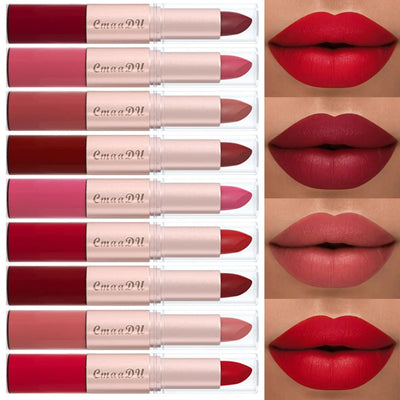 From the collection1/3Pcs Double Head Matte Lipstick Sexy Red Lip Gloss Set 2 in 1 Matte Lip Stick Non-stick Cup Lasting Waterproof Makeup BeautyFrom €23,95 EURView product
Continue reading

Discover more
Shop KIMLUD
 Metallic Lipstick Color-Changing Pearl Shine — Blue Purple | KIMLUDFrom €13,95 EUR
 Satin A Line Maxi Dress With Pockets Stand Collar — Black | KIMLUDFrom €125,95 EUR
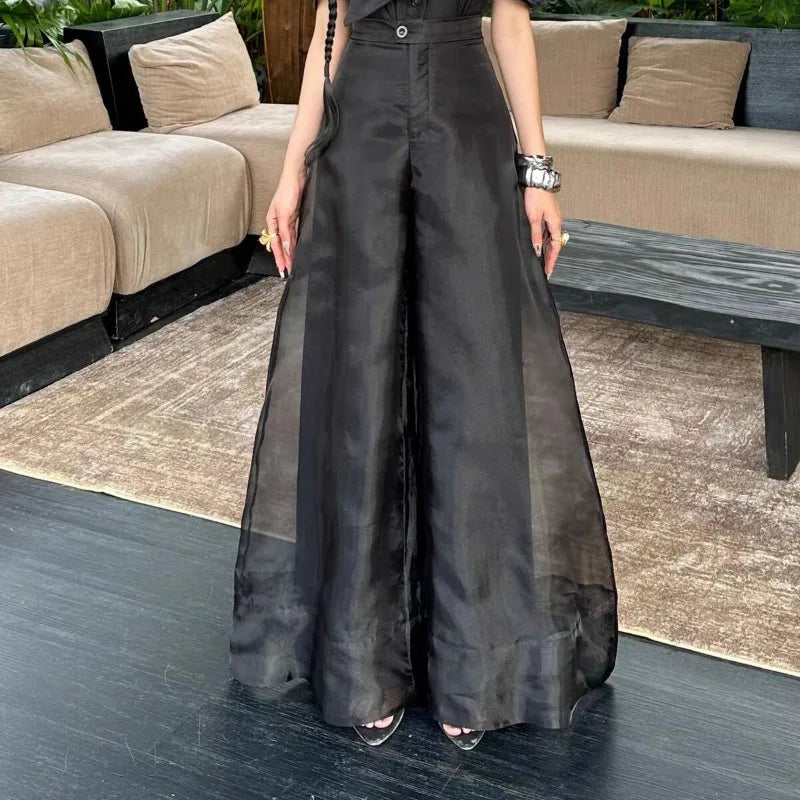 Wide Leg Pants – High Waist – Broadcloth – Black | KIMLUDFrom €107,95 EUR
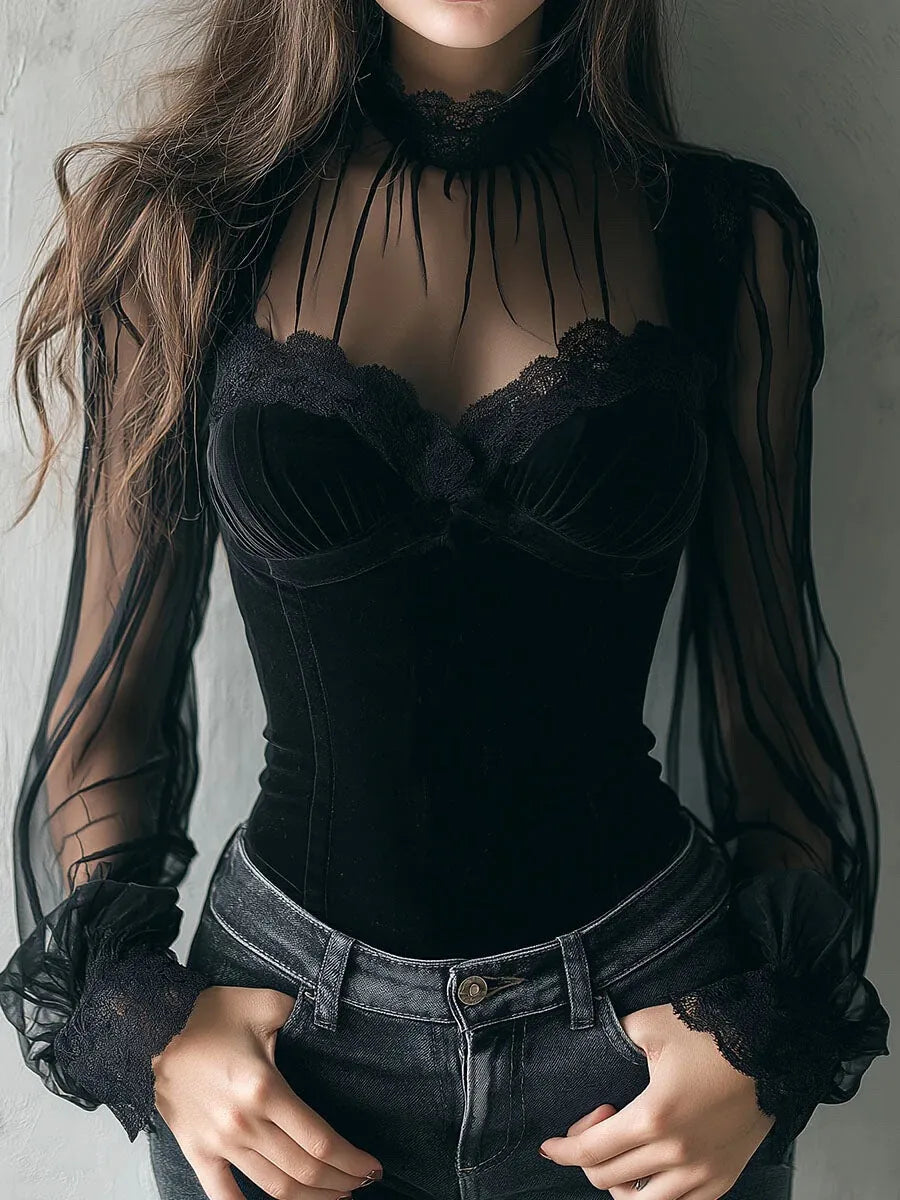 Blouse – Lace Patchwork – Velvet – Black | KIMLUDFrom €74,95 EUR
 PU Faux Leather One Shoulder Patchwork Jacket — Brown-Black Patchwork | KIMLUD€141,95 EUR
 Polyester Gothic Y2K Culottes Single Layer Draped — Black | KIMLUD€103,95 EUR
 Oversized Tortoiseshell Sunglasses Double Bridge — Tortoiseshell Brown | KIMLUD€43,95 EUR
 Crisp Cotton Shirt Dress Stand Collar Pleated A-Line — White | KIMLUDFrom €132,95 EUR

Compare five shoulder-bag styles, including red PU and colour-shift cowhide bags added to KIMLUD in 2026. Check strap...

Explore the forces shaping the next era of artificial intelligence, from NVIDIA’s role in global computing to semiconductor...

A dissertation may read convincingly without revealing how well its author understands the research. This essay examines what...
